
All cases
Get in Touch

Overview

Appstruct is an AI-powered no-code platform that enables users to build powerful mobile, web, and desktop applications without writing code.
AI-powered
SaaS-Platform
2024

My Role
Principal Product Designer
Redesign & Core Product Features
I was brought in to define the product’s core functionality and visual direction, while addressing key UX issues introduced during the initial prototyping stage. Throughout the project, I reworked a significant part of the product logic and designed its core features, directly shaping the user experience and overall product direction. My work helped evolve the product from an early prototype into a production-ready platform, ultimately supporting its transition to investment and full-scale launch.


My Product Impact
1
Defined Competitive Product Features
Identified opportunities to differentiate the platform and designed core features including Smart Animation, visual logic, advanced layout behavior, and responsive app building.
2
Reworked the MVP Experience
Redesigned critical user flows and interactions across the existing MVP, resolving major usability issues and making complex app-building workflows clearer and more intuitive.
3
Built a Visual Product Framework
Designed the core interaction model for layers, components, drag & drop, grids, responsive layouts, data, APIs, and integrations — enabling users to build complex applications visually.
4
Designed a Cross-Platform Creation Experience
Established how applications are designed, previewed, and adapted across mobile, tablet, and web, including device-specific preview modes and responsive behavior.
Platform & Device Adaptation
Designed to adapt across platforms and devices
Defined how layouts and interface components adapt across different platforms and screen sizes, keeping the product consistent across every device.
Node-editor
Build Logic Visually
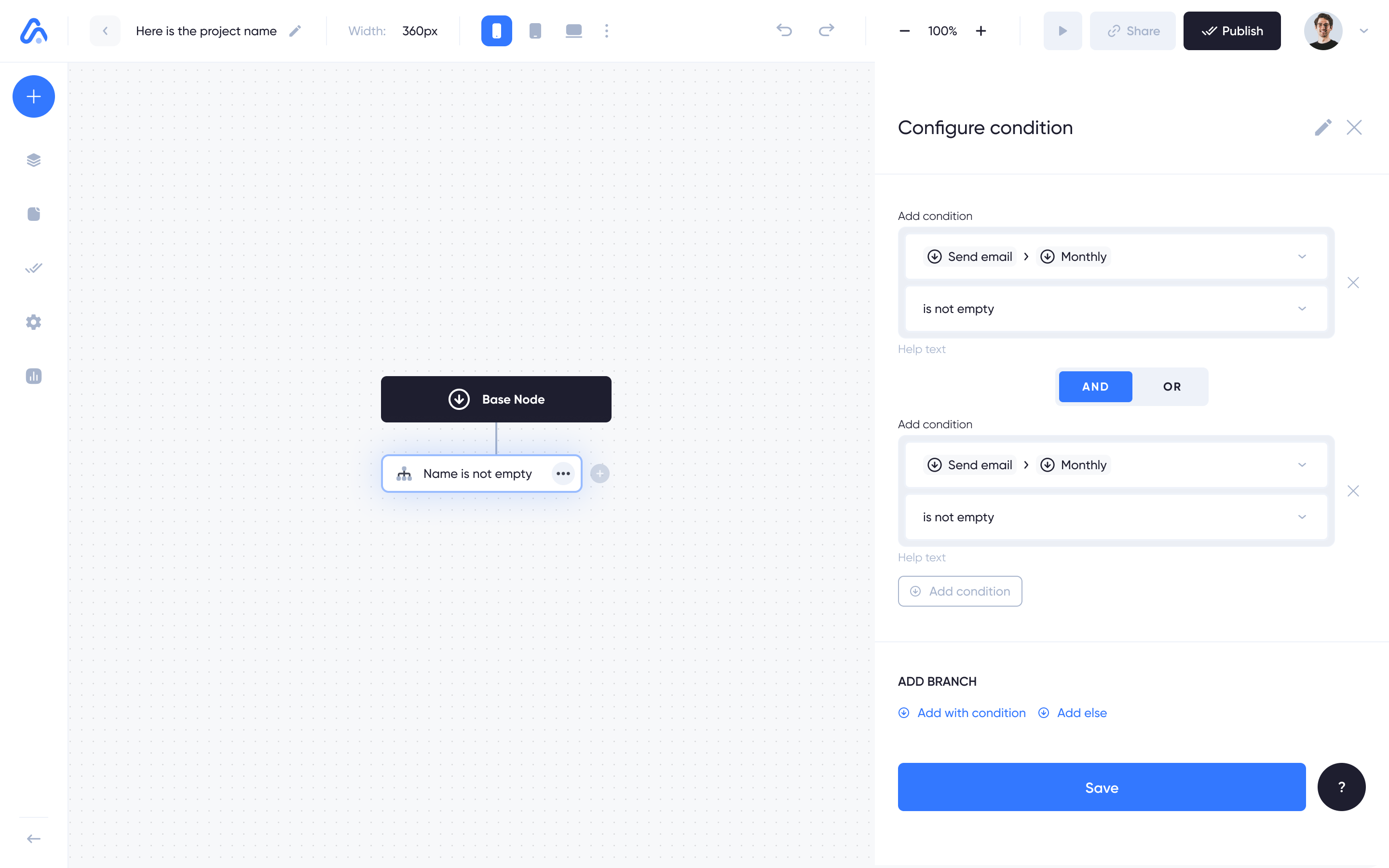
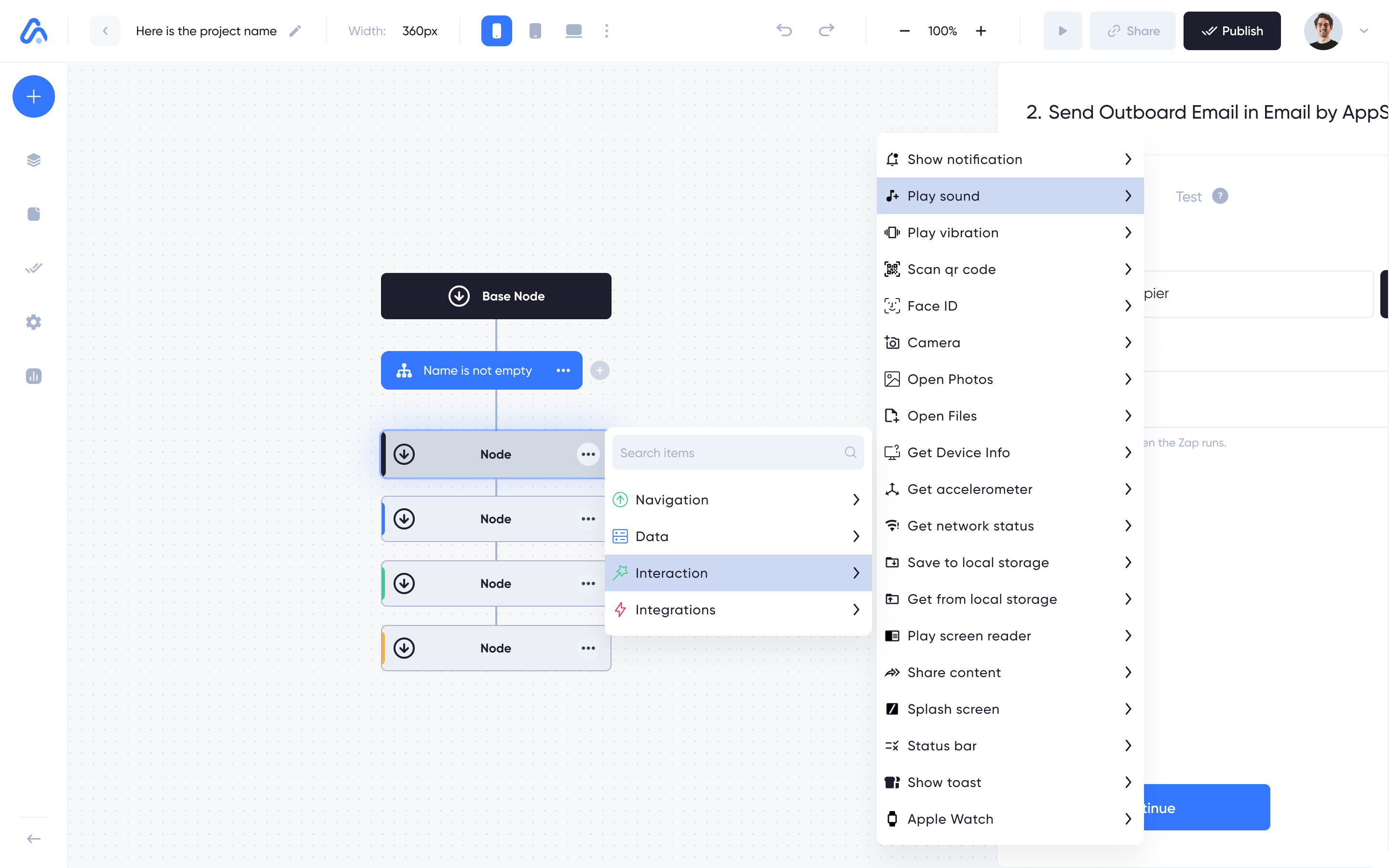
I designed and built a visual node editor that allows users to create complex workflows and app behaviors without writing a single line of code.
The node-based interface lets users visually map out their app’s logic by connecting functional nodes, making it easy to build everything from simple interactions to complex conditional workflows.
Intuitive Drag & Drop System
I designed a drag-and-drop system that allows users to build interfaces by freely positioning and customizing components. I defined how components behave within the layout, giving users the flexibility to create without containers or rigid settings.
API Integration Interface
I redesigned and simplified the API integration interface, making it easier for users to connect and configure third-party APIs without dealing with complex technical settings.
Layouts
Layout & Grid System
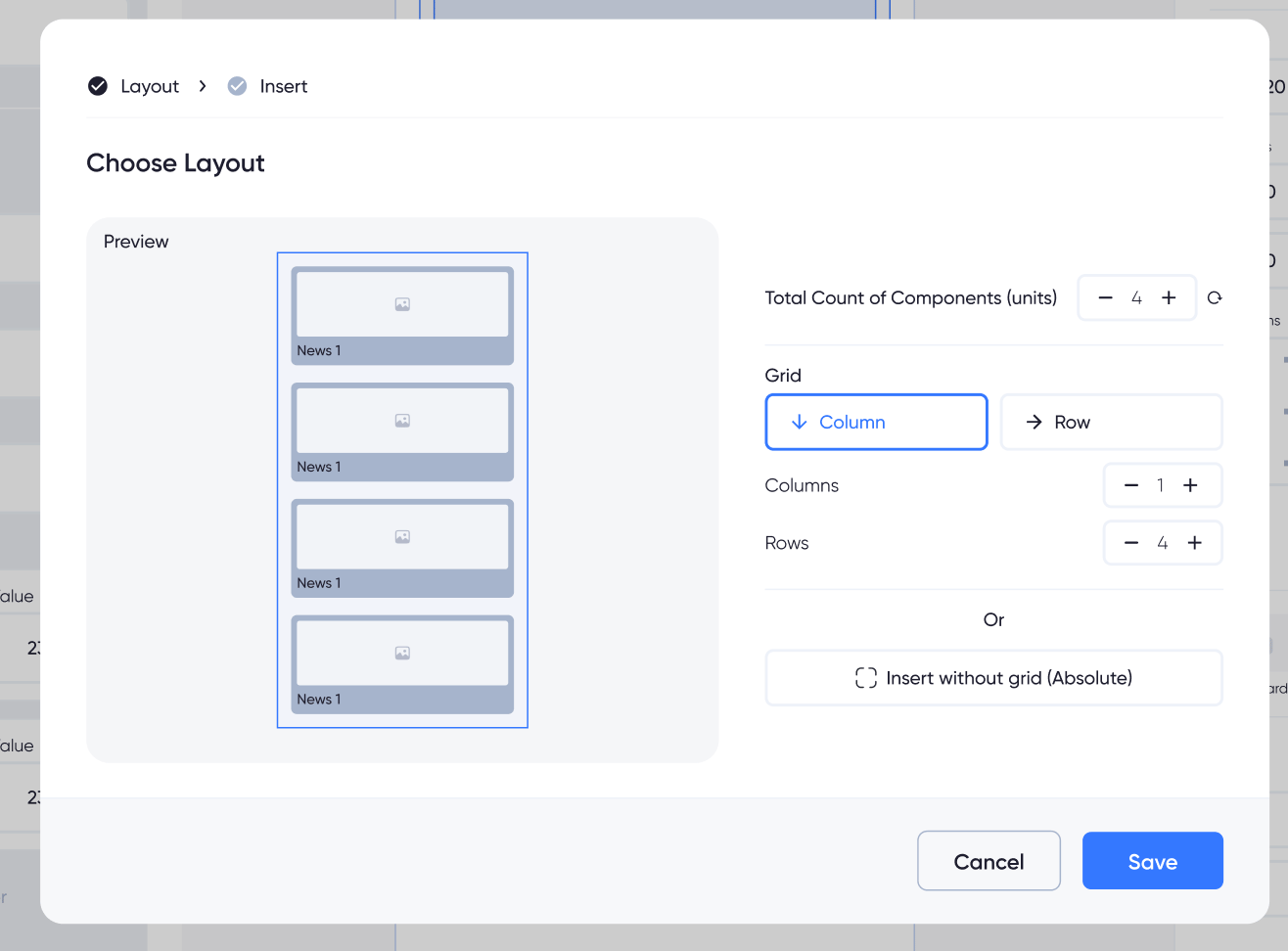
Designed flexible grid-based layouts with ready-to-use templates for sections, columns, and rows, giving users an intuitive way to structure and organize content without manually building layouts from scratch.
Users can define layout rules once and automatically apply them to imported content from external sources.
Smart Animation
Build and control animations visually, with complete flexibility
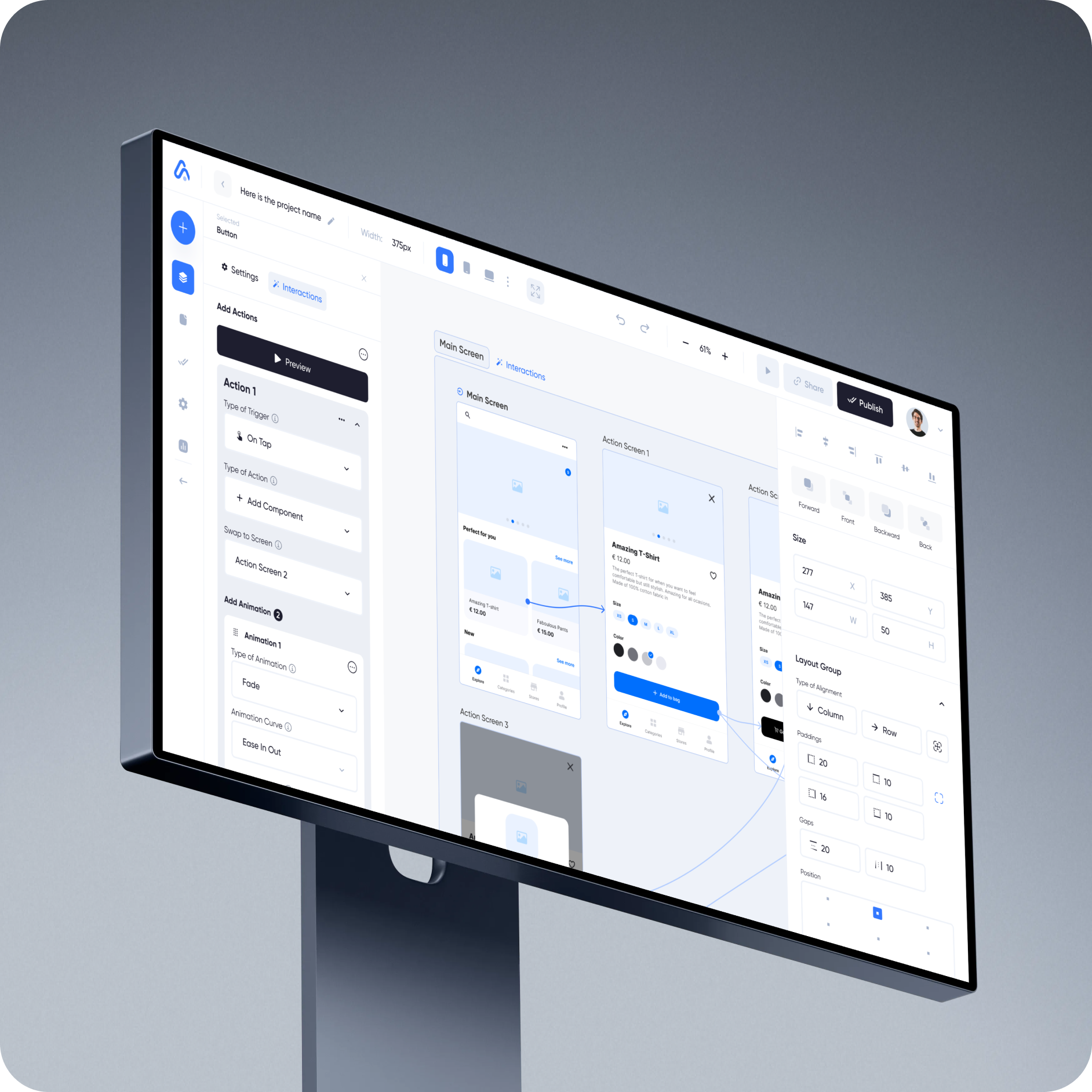
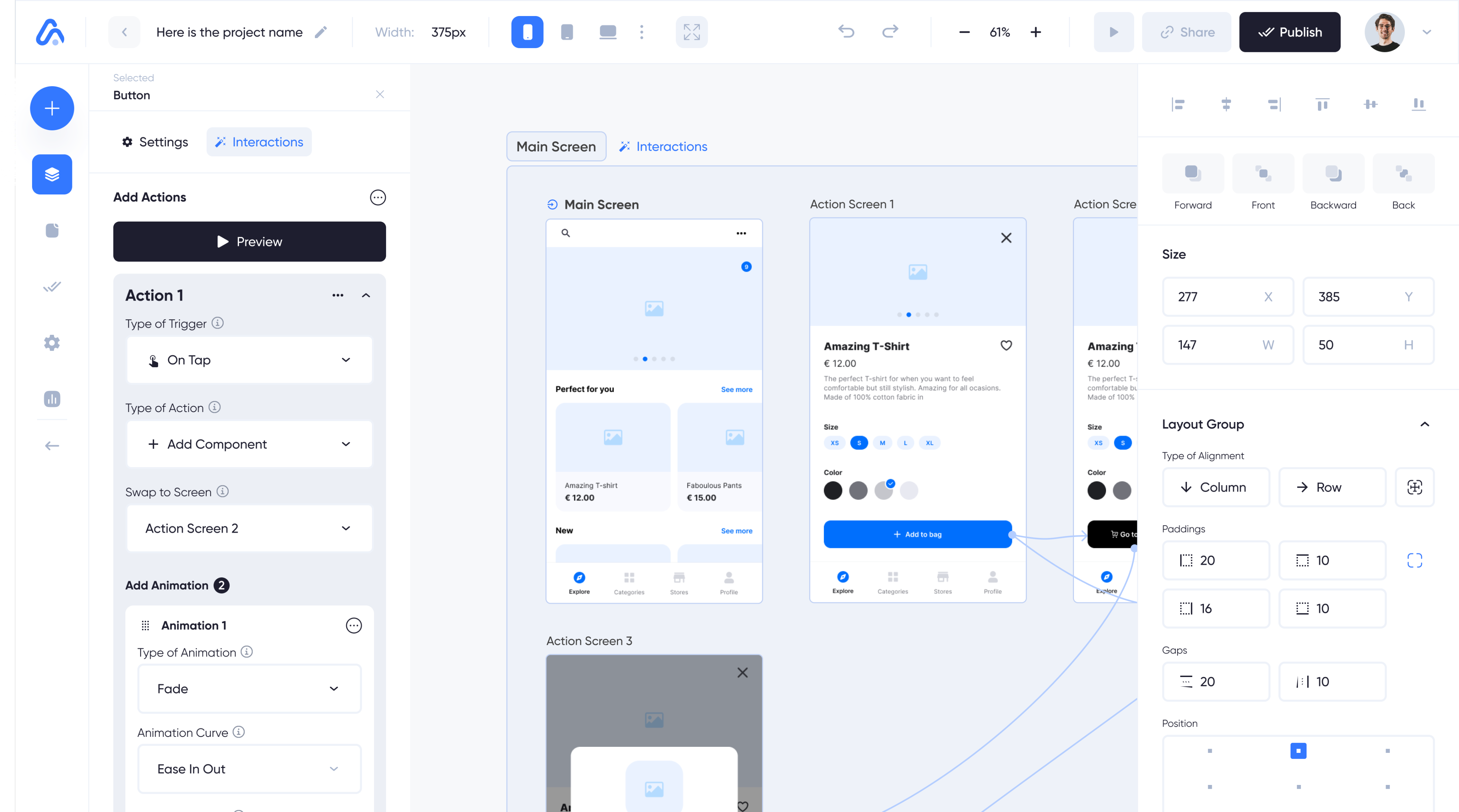
Designed a flexible animation system that lets users create sequential animations and precisely define how elements move, transform, and respond across different states.
Visual connections and detailed animation controls make it easy to choreograph complex sequences and tailor element behavior to any interaction scenario.
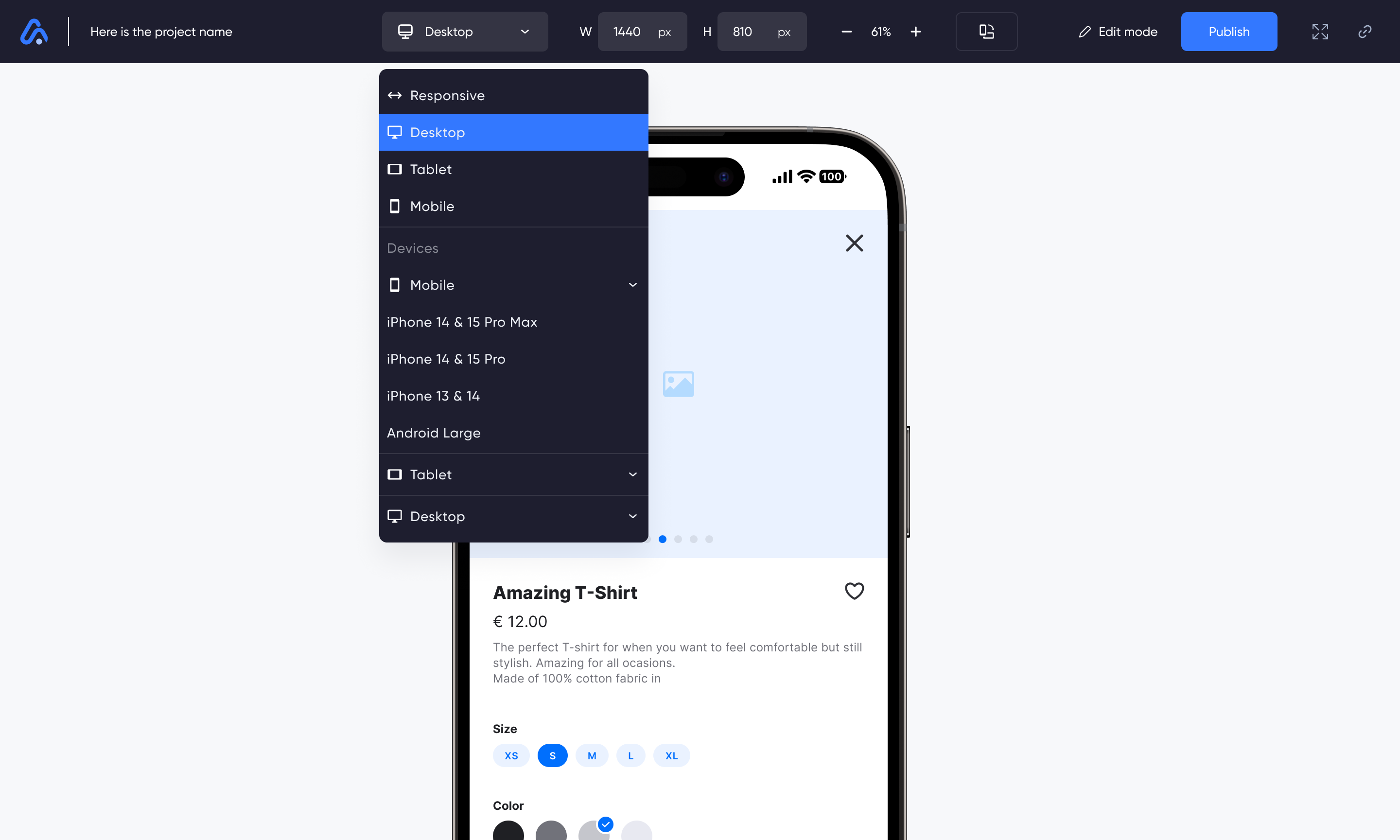
A dedicated preview mode lets users test their product across responsive layouts and real device presets before publishing. Custom viewport controls and live previews make it easy to validate layouts, interactions, and behavior across mobile, tablet, and desktop.
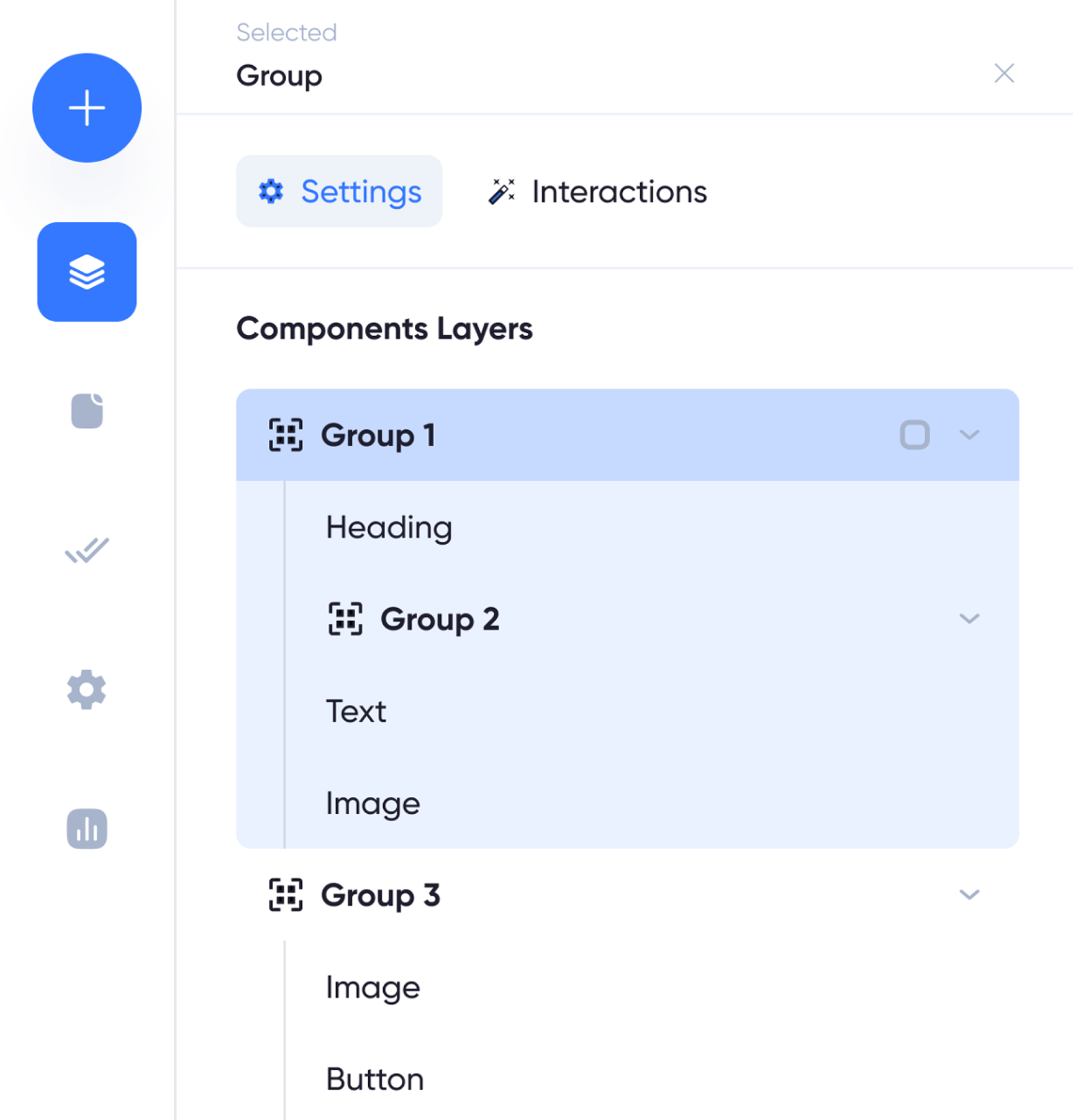
Component Hierarchy
Designed a clear naming and hierarchy system for nested components, with a visual layer structure that makes complex interfaces easier to understand, navigate, and manage.
This case study is still evolving
More details and product explorations will be added soon.






Overview

AI-powered
SaaS-Platform
2024
Appstruct is an AI-powered no-code platform that enables users to build powerful mobile, web, and desktop applications without writing code.

My Role
Principal Product Designer
Redesign & Core Product Features
I was brought in to define the product’s core functionality and visual direction, while addressing key UX issues introduced during the initial prototyping stage. Throughout the project, I reworked a significant part of the product logic and designed its core features, directly shaping the user experience and overall product direction. My work helped evolve the product from an early prototype into a production-ready platform, ultimately supporting its transition to investment and full-scale launch.

My Product Impact
1
Defined Competitive Product Features
Identified opportunities to differentiate the platform and designed core features including Smart Animation, visual logic, advanced layout behavior, and responsive app building.
2
Reworked the MVP Experience
Redesigned critical user flows and interactions across the existing MVP, resolving major usability issues and making complex app-building workflows clearer and more intuitive.
3
Built a Visual Product Framework
Designed the core interaction model for layers, components, drag & drop, grids, responsive layouts, data, APIs, and integrations — enabling users to build complex applications visually.
4
Designed a Cross-Platform Creation Experience
Established how applications are designed, previewed, and adapted across mobile, tablet, and web, including device-specific preview modes and responsive behavior.
Platform & Device Adaptation
Designed to adapt across platforms and devices
Defined how layouts and interface components adapt across different platforms and screen sizes, keeping the product consistent across every device.
Node-editor
Build Logic Visually
I designed and built a visual node editor that allows users to create complex workflows and app behaviors without writing a single line of code.
The node-based interface lets users visually map out their app’s logic by connecting functional nodes, making it easy to build everything from simple interactions to complex conditional workflows.
Intuitive Drag & Drop System
I designed a drag-and-drop system that allows users to build interfaces by freely positioning and customizing components. I defined how components behave within the layout, giving users the flexibility to create without containers or rigid settings.
API Integration Interface
I redesigned and simplified the API integration interface, making it easier for users to connect and configure third-party APIs without dealing with complex technical settings.
Layouts
Layout & Grid System
Designed flexible grid-based layouts with ready-to-use templates for sections, columns, and rows, giving users an intuitive way to structure and organize content without manually building layouts from scratch.
Users can define layout rules once and automatically apply them to imported content from external sources.
Smart Animation
Build and control animations visually, with complete flexibility
Designed a flexible animation system that lets users create sequential animations and precisely define how elements move, transform, and respond across different states.
Visual connections and detailed animation controls make it easy to choreograph complex sequences and tailor element behavior to any interaction scenario.
A dedicated preview mode lets users test their product across responsive layouts and real device presets before publishing. Custom viewport controls and live previews make it easy to validate layouts, interactions, and behavior across mobile, tablet, and desktop.
Component Hierarchy
Designed a clear naming and hierarchy system for nested components, with a visual layer structure that makes complex interfaces easier to understand, navigate, and manage.
This case study is still evolving
More details and product explorations will be added soon.






All cases
About Me
Case Studies

Get in Touch